Tasks. Questions. Answers.
madaDo is the to-do app that thinks along: dictate instead of typing, plan lists and projects, clear up open questions – and share it all with your family or team.
For iPhone, iPad and Mac · iOS 17 or later · Free · No ads
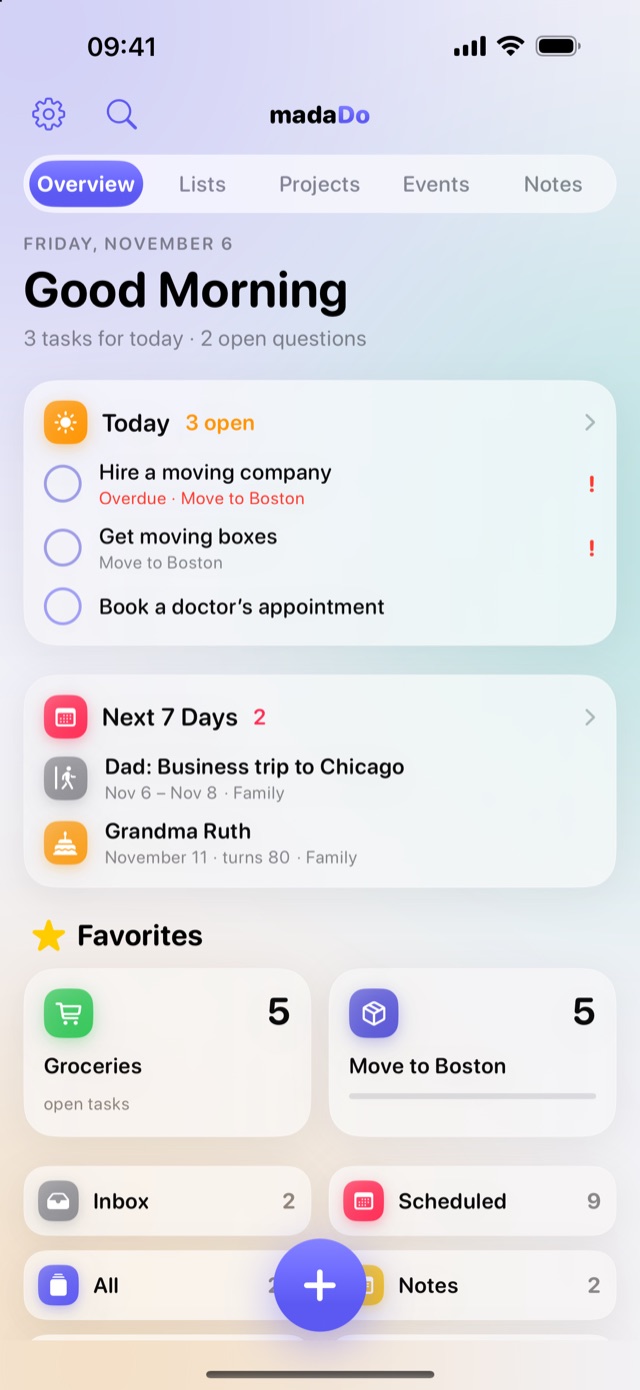
Everything in one place – no app juggling
Tasks, events, notes and knowledge belong together. In madaDo they’re connected.
One plus for everything
Type or dictate: “Buy milk tomorrow, Dad is in Chicago Dec 3–5”. madaDo recognizes tasks, events and questions including the date – with Apple Intelligence, right on your device.
Lists & projects
Groceries, family, moving: lists for everyday life, projects with progress. Subtasks, priorities and due dates included.
Events & “Who’s away?”
Vacations, birthdays, business trips and events right in your lists – and at a glance, who isn’t around right now.
Questions & knowledge archive
Whatever still needs clarifying becomes an open question. Once answered, it lands in your knowledge archive – and turns into new tasks.
Notes that become projects
Headings, bullet lists and checklists like in Apple Notes. One tap and the note becomes a list or project, complete with tasks.
Overview & favorites
Due today, the next 7 days and your favorite lists on one page. Swipe to lists, projects, events and notes.
Week planner
On iPad and Mac: your week in columns, events and tasks together. Just drag a task to another day.
Shared via iCloud
Share lists with family, friends or your team. Everyone sees changes instantly and can get a notification.
Widgets, Siri & Calendar
A Today widget you can check off, Control Center, Siri shortcuts and sync with Apple Calendar.
From thought to checkmark
madaDo is with you every step – from a spontaneous idea to the finished task and the knowledge that stays.
Capture
Tap the big plus, or press and hold to start talking. Or create a note, event or list directly.
Sort
madaDo recognizes the type, date and matching list. You check the preview and tap “Add”.
Plan
The overview shows what’s due today. In the week planner you drag tasks to the right day.
Clarify
Collect open questions, write down answers – they move to the knowledge archive and become new tasks.
Done & shared
Check off in the app or the widget. In shared lists everyone instantly sees what’s done.
Tip: one tap turns an idea note with bullet points into a project – every bullet becomes a task.
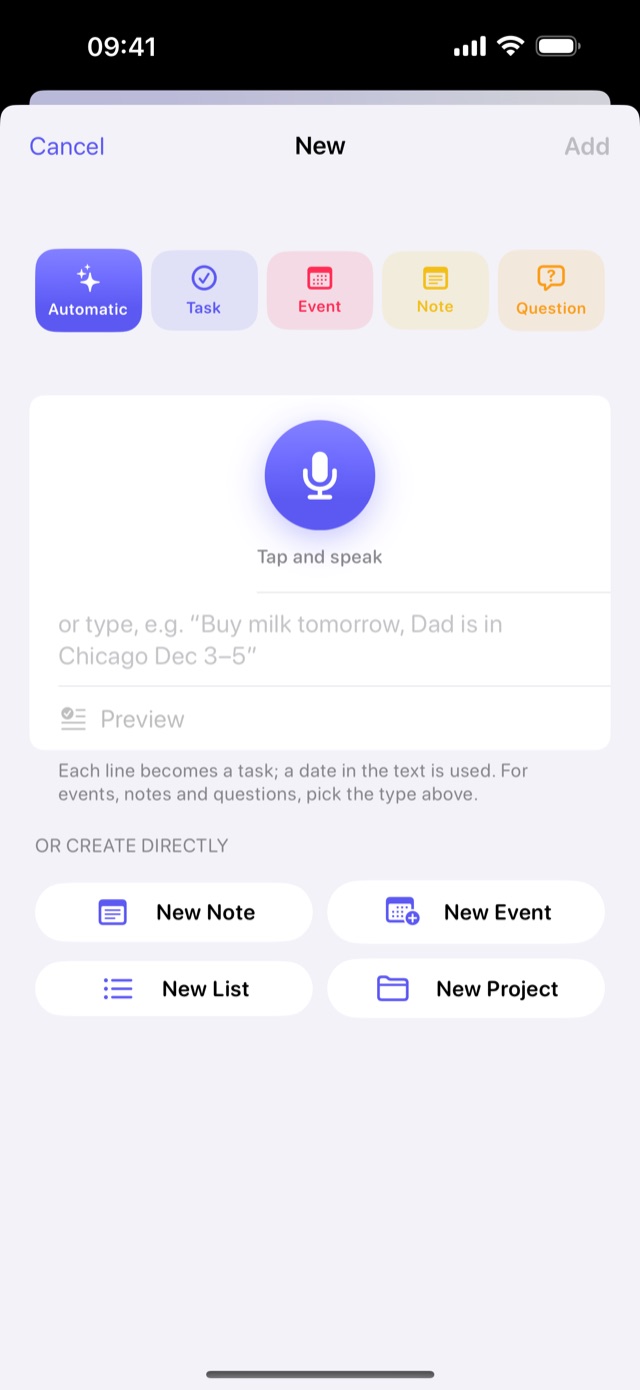
Talking is faster than typing
One window for everything: choose “Automatic” and madaDo figures out whether you mean a task, an event or a question. Or create a specific task, event, note or question.
- Dictation with a big microphone button
- Date, time, person and list are recognized
- Press and hold + to start recording instantly
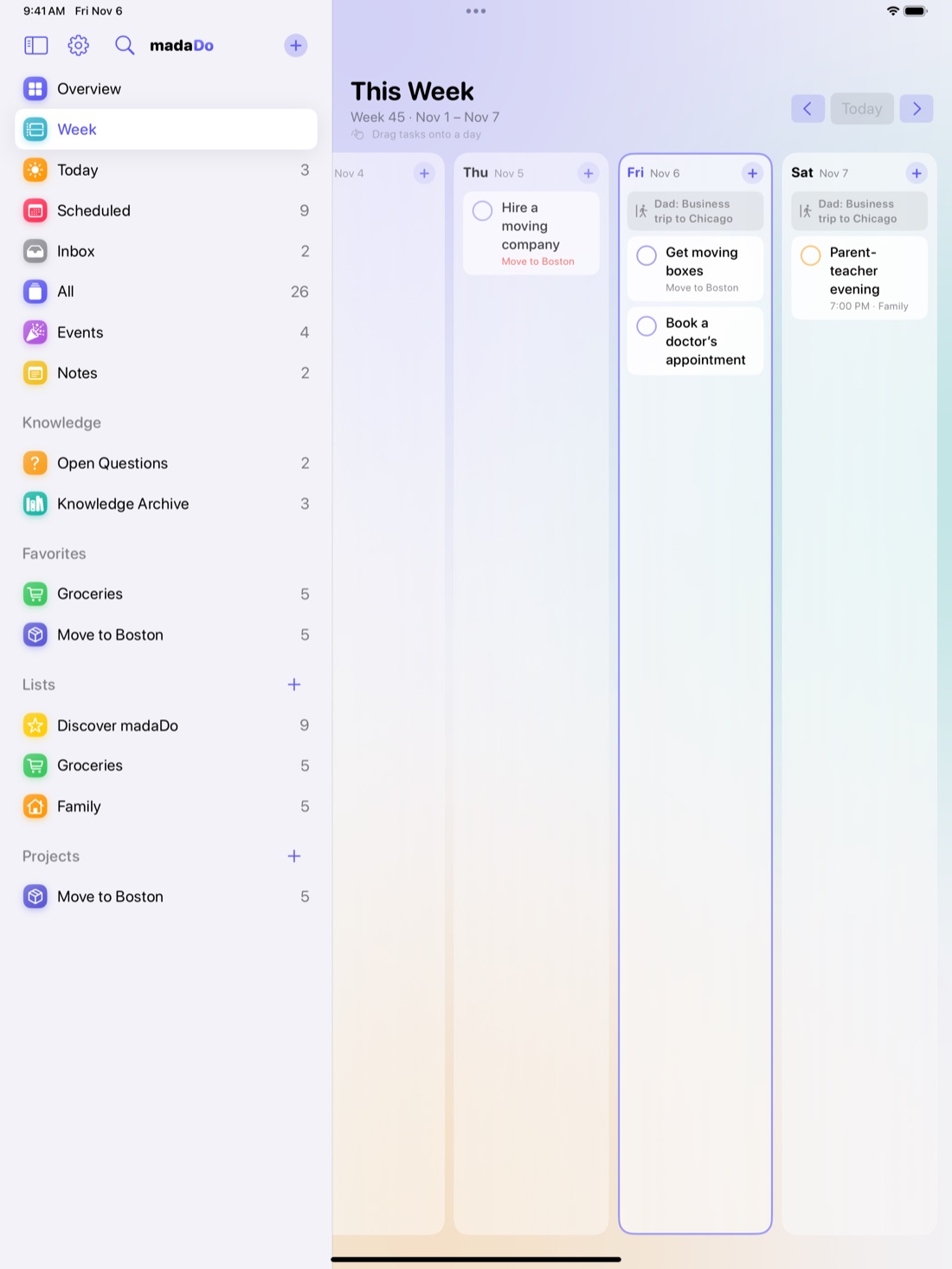
Your week under control
On iPad and Mac the week planner shows every day as a column – with events and tasks that are due. Move things by dragging, details open right next to it.
- Drag tasks to another day
- Overdue tasks in their own column
- Slim sidebar with favorites
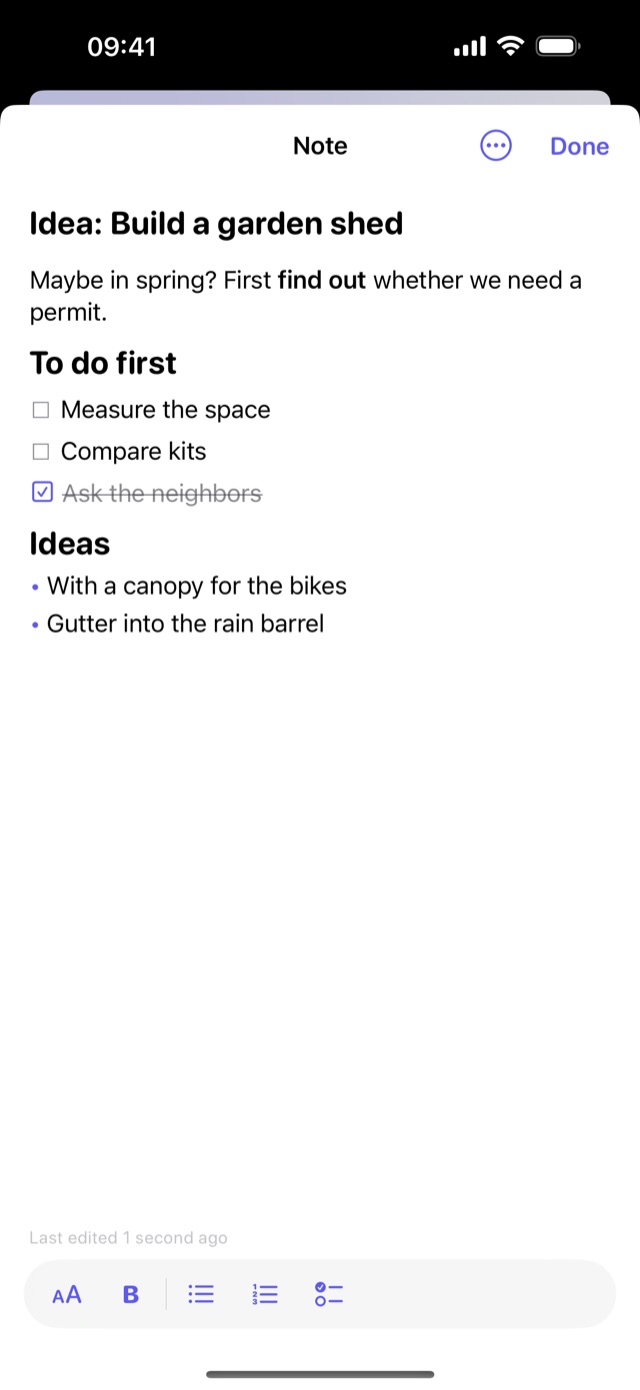
First the idea, then the project
Notes with headings, bold text, bullet lists and checklists you can tick off. When the idea grows, madaDo turns it into a list or project – every bullet becomes a task.
- Notes with or without a list
- Formatting like Apple Notes
- “Make a Project” with one tap
Open questions turn into knowledge
“Do we need a no-parking zone?” – note questions right on the task. Once the answer is in, it moves to the knowledge archive and can be found anytime.
- Questions on tasks, events and projects
- Answers with bullet points and source
- Turn answers into new tasks
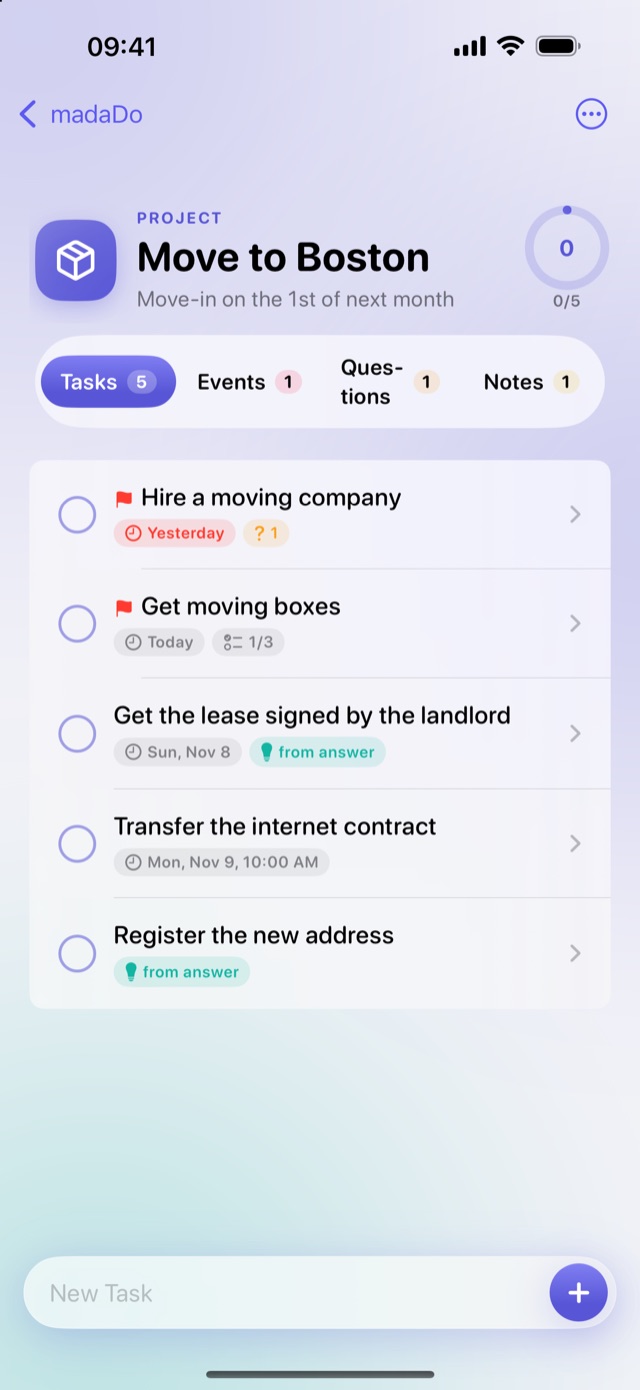
One app, all your devices
Always in sync via iCloud – with a layout made for each device.
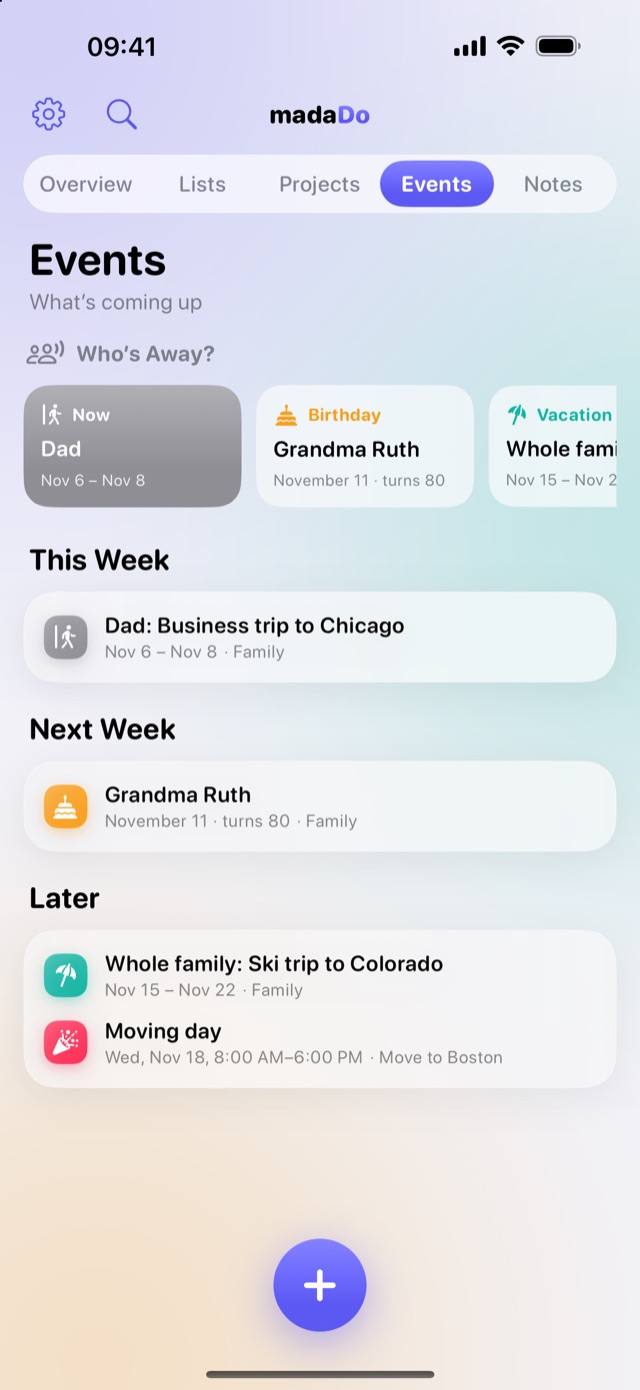
iPhone
Overview with swiping between lists, projects, events and notes. Widgets and Control Center.
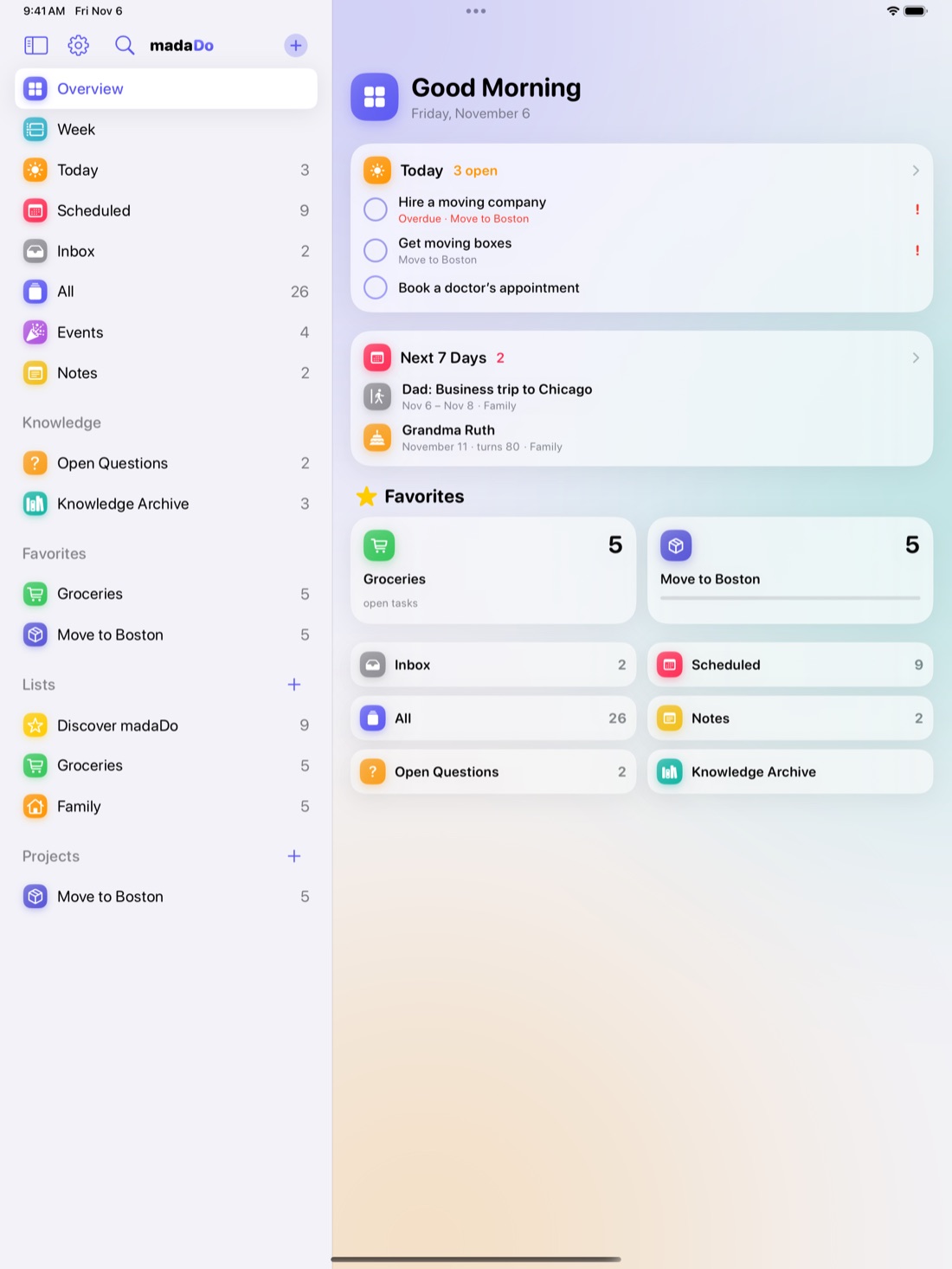
iPad
Sidebar, details right beside your list and the week planner – great with a keyboard and Apple Pencil.
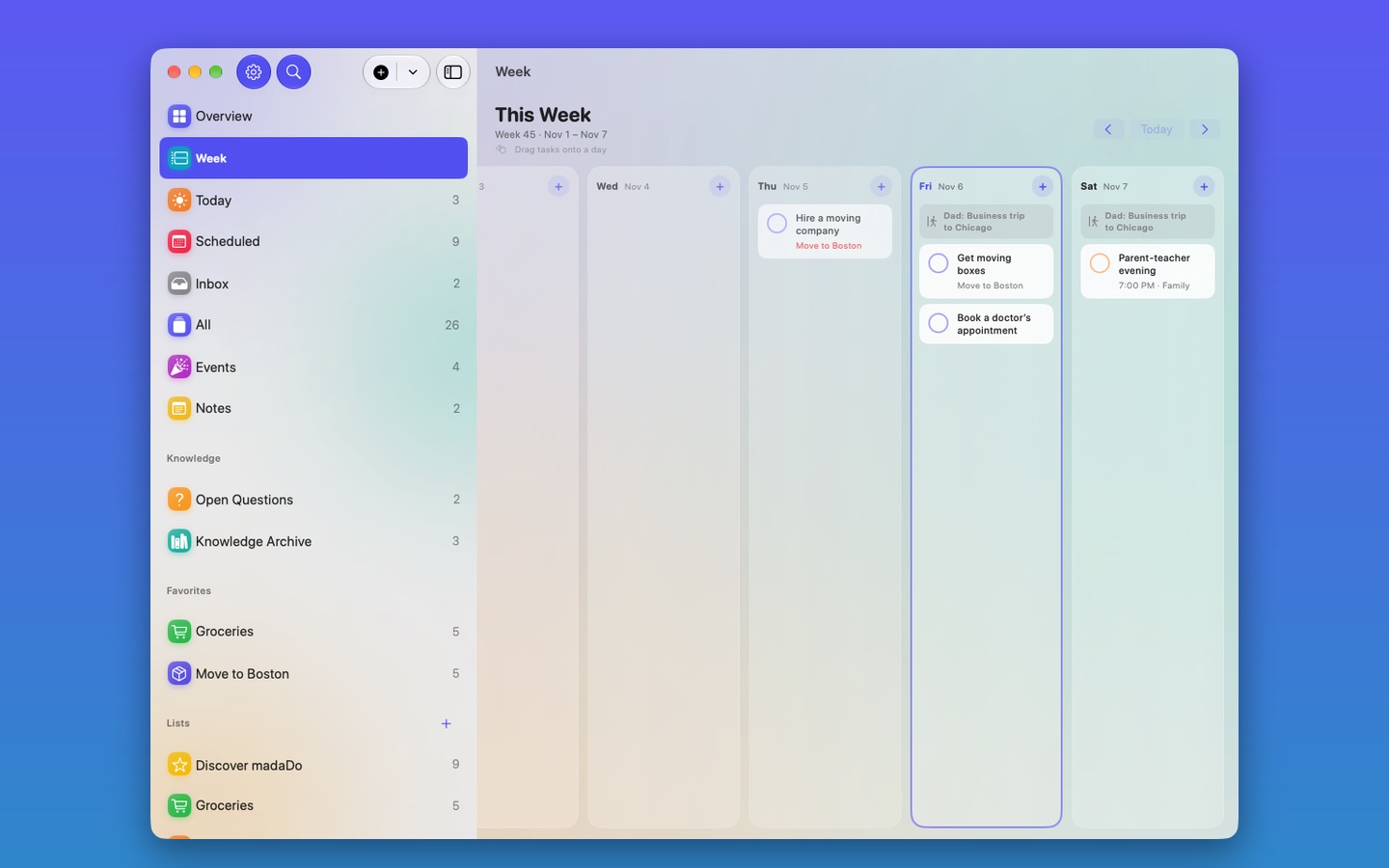
Mac
A native Mac app with menu bar and shortcuts like ⌘N and ⌘F.
Your data belongs to you
madaDo stores everything on your devices and in your own iCloud account. We don’t run servers for your content, we can’t see your data and we don’t sell anything.
- 🔒 No ads, no tracking
- ☁️ Sync only through your iCloud
- 🧠 Apple Intelligence runs on device
- 🙅 No account, no sign-up
Frequently asked questions
How much does madaDo cost?
madaDo is free – no ads and no in-app purchases.
Do I need an account?
No. madaDo uses the iCloud account you’re already signed in with on your device.
How do I share a list?
Open the list and tap the person icon at the top (“Share List”). The people you invite need an Apple device and madaDo.
Does dictation work without Apple Intelligence?
Yes. Without Apple Intelligence, each line becomes a task and a date in the text is used. For events, notes and questions you simply choose the type at the top.
Which devices does madaDo run on?
iPhone and iPad with iOS / iPadOS 17 or later, and Macs with macOS 14 or later.
Ready to get organized?
madaDo is coming soon to the App Store. Questions or ideas? Get in touch via support.